Preview

DeepSeek Harness
Ready to use. Right now.

Everyday tasks, coding, or your own harness—it starts here.

DeepSeek Harness is now in public preview worldwide and open source, with composable plugins that extend what agents can do.

Meet DeepSeek Harness
Could you introduce yourself?
Thought for a while

I'm DeepSeek Harness, an open-source harness from DeepSeek built on Cordis's “everything is a plugin” architecture. Run me as a desktop app or launch the web UI from code.

I can help with:

  1. Everyday work — Organize files, analyze data, draft docs, and create slides.Everyday work — Work with docs, data, and slides.
  2. Coding — Explore repos, fix bugs, build features, and run tests.Coding — Fix bugs, build features, run tests.
  3. Research — Find information, verify facts, and cite sources.Research — Find facts and cite sources.
  4. Background tasks — Run scripts, batch-process files, and track progress.Background tasks — Run scripts and track progress.
  5. Plugins — Add or build plugins to fit your workflow.Plugins — Add plugins or build your own.

And so much more...

Describe what you want to build, / commands, @ files or sessions
Workspace Write
DeepSeek-V41-Flash High

Expanding capabilities. Work on your terms.

Everything is a plugin

Install plugins, or create them through chat in “Creator mode”, to extend tools, skills, and the interface.
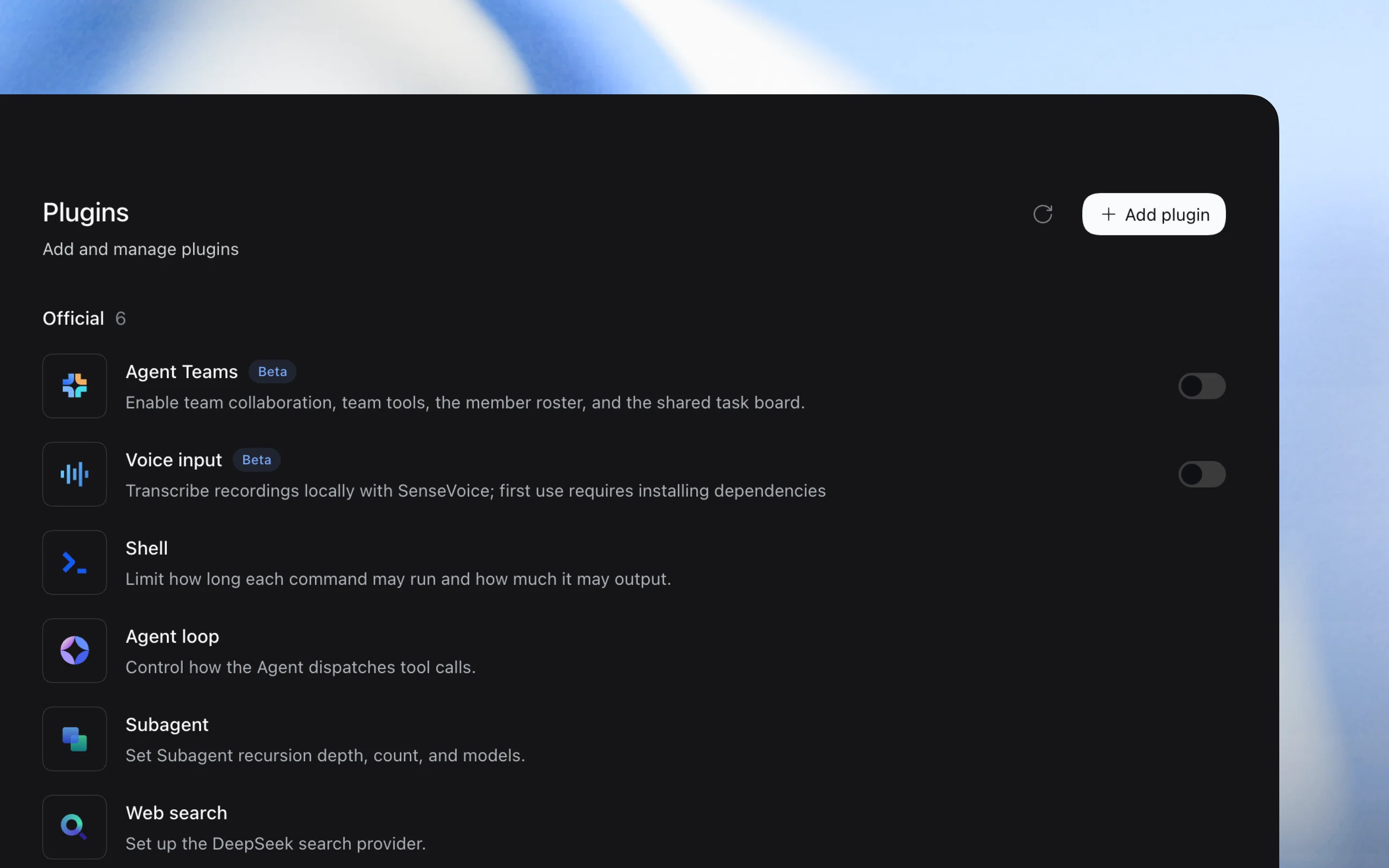
DeepSeek Harness plugin manager showing official plugins and the Add plugin action

Complete a range of tasks

Organize documents, analyze spreadsheets, and write code. Preview the results directly and refine them through conversation.

Adapt to your workflow

Enable the Scheduled tasks plugin to start tasks anytime and run recurring work on schedule. Stay on top of progress and inspect tool call details when needed.

Developer tools

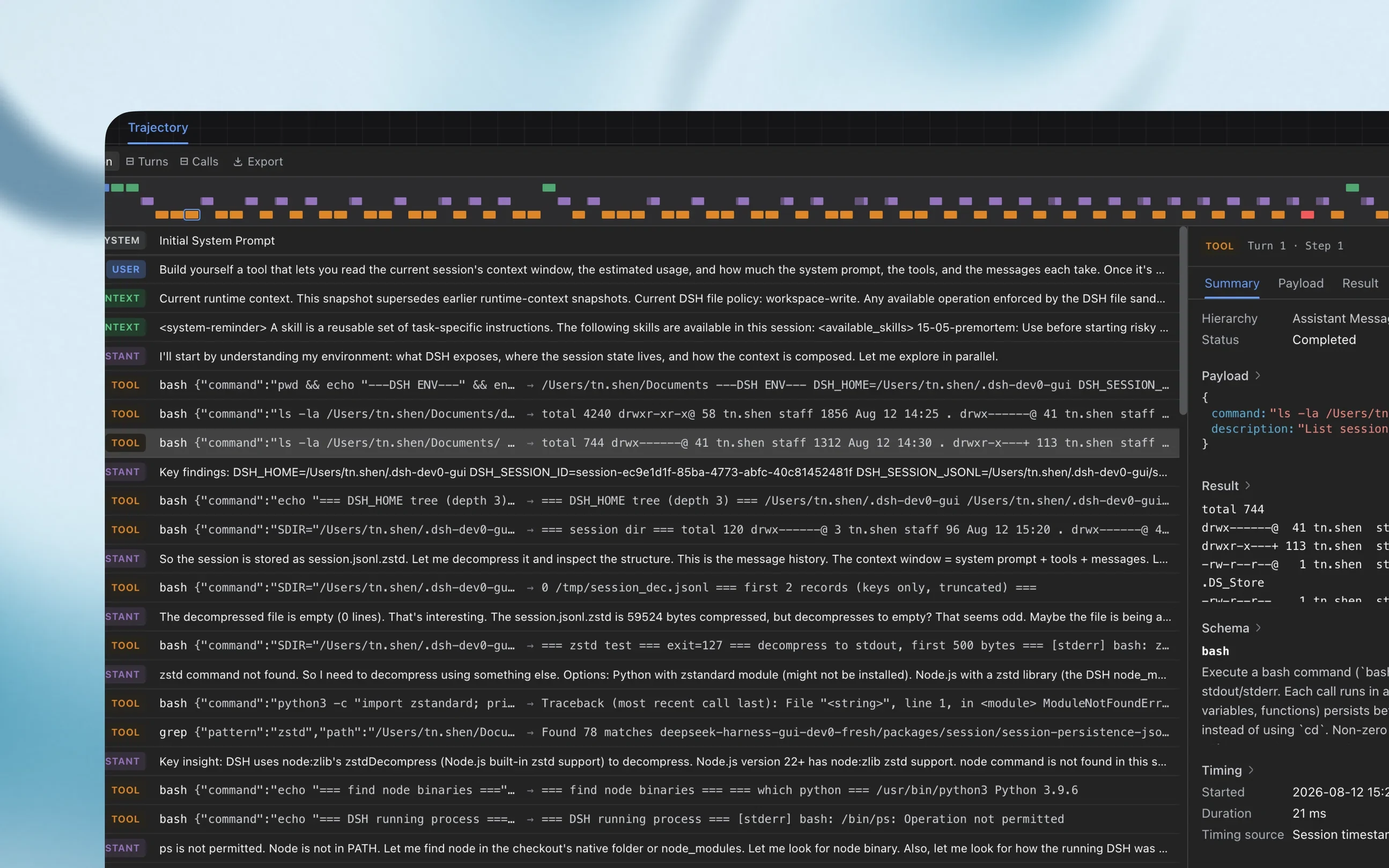
Inspect execution traces and detailed runtime information to troubleshoot issues with tool calls and task execution.

DeepSeek Harness trajectory view showing a timeline, tool calls, and execution details

Developer experience

Start with one command

Install Node.js, then launch the Web UI with npx.

$ npx @deepseek-ai/dsh web

Install from source

Clone the full source and follow the setup instructions in the repository.

$ git clone https://github.com/deepseek-ai/deepseek-harness

Join the DSH plugin ecosystem

DeepSeek Harness is in preview, with evolving core plugins and APIs. We invite users and developers worldwide to explore the limits of intelligence together through open-source, reusable, and composable infrastructure.